# Send message content structure
This article describes how to construct the message content (`content`) corresponding to each message type (`msg_type`) in the [Send message](https://open.feishu.cn/document/uAjLw4CM/ukTMukTMukTM/reference/im-v1/message/create), [Reply message](https://open.feishu.cn/document/uAjLw4CM/ukTMukTMukTM/reference/im-v1/message/reply), and [Edit message](https://open.feishu.cn/document/uAjLw4CM/ukTMukTMukTM/reference/im-v1/message/update) interfaces.
## Before you start
Before reading this article, please be sure to understand the following notes:
- All the parameter values in the sample code provided in this article, such as `receive_id` (message recipient ID), `user_id` (user's user_id), `image_key` (image identifier key obtained after uploading an image), `file_key` (file identifier key obtained after uploading a file), etc., are sample data. You need to replace them with real available data during actual development.
- The content construction examples provided in this article are only applicable to the [Send Message](https://open.feishu.cn/document/uAjLw4CM/ukTMukTMukTM/reference/im-v1/message/create), [Reply Message](https://open.feishu.cn/document/uAjLw4CM/ukTMukTMukTM/reference/im-v1/message/reply), and [Edit Message](https://open.feishu.cn/document/uAjLw4CM/ukTMukTMukTM/reference/im-v1/message/update) interfaces, and are not applicable to the [Batch Send Message](https://open.feishu.cn/document/ukTMukTMukTM/ucDO1EjL3gTNx4yN4UTM) interface and the interfaces of various historical versions of messages.
- This article is not applicable to custom robots. For the use of custom robots, please refer to the [Custom Robot Usage Guide](https://open.feishu.cn/document/ukTMukTMukTM/ucTM5YjL3ETO24yNxkjN).
## Introduction to message content
In the **Send message**, **Reply message**, and **Edit message** interfaces, you need to pass in the message content (`content`). Different message types correspond to different `content`. Taking a text message as an example, the request body example is as follows:
```json
{
"receive_id": "ou_7d8a6e6df7621556ce0d21922b676706ccs",
"content": "{\"text\":\" test content\"}",
"msg_type": "text"
}
```
**Note**: The `content` field is of string type, and the JSON structure needs to be escaped before passing the value. When calling the interface, you can first construct a structure, and then use JSON serialization to convert it to a string type, or escape it through a third-party JSON conversion tool.
## JSON structure of message content of various types
Message types include text, rich text, card, business card, audio, video, and file. This chapter will introduce how to construct the content corresponding to each type of message.
### Text
**Note**: If you need to send Markdown content, we recommend using the `md` tag in rich-text `post` messages. It supports CommonMark 0.31 + GFM syntax, including tables, task lists, strikethrough, autolinks, and more. In addition, Feishu also supports extended syntax for @-mentions, @all, and images. The `text` type is only suitable for plain text and some lightweight formatting.
**Content example**
```json
{
"text": "test content"
}
```
**Parameter description**
Name | Type | Required | Description
---|---|---|---
text | string | Yes | Text content.
**Example value**: test content
**[Send message](https://open.feishu.cn/document/uAjLw4CM/ukTMukTMukTM/reference/im-v1/message/create) request body example**
```json
{
"receive_id": "ou_7d8a6e6df7621556ce0d21922b67670xxxx",
"content": "{\"text\":\"test content\"}",
"msg_type": "text"
}
```
#### Support line breaks
If you need to break lines in the text, you can use the `\n` line break character. The request body example is as follows (note that the content needs to be escaped):
```json
{
"receive_id": "oc_xxx",
"content": "{\"text\":\"firstline \\n secondline \"}",
"msg_type": "text"
}
```
#### Support @ user, @ everyone
```json
// @ single user
User name (optional)
// @ everyone
```
- When @ing a single user, the `user_id` field must be filled with the user's open_id, union_id or user_id to @ the specified person. Please ensure that the ID is a valid value. For how to obtain the ID, refer to [How to obtain User ID, Open ID and Union ID? ](https://open.feishu.cn/document/home/user-identity-introduction/open-id).
- When @ing everyone, `user_id` takes the value of `all`, and it should be noted that the group must have the @ing everyone function enabled.
- The syntax here is different from the syntax of @ specifying people in card messages ([Message Card Markdown](https://open.feishu.cn/document/ukTMukTMukTM/uADOwUjLwgDM14CM4ATN#abc9b025), [Feishu Card Markdown](https://open.feishu.cn/document/uAjLw4CM/ukzMukzMukzM/feishu-cards/card-components/content-components/rich-text)), so please pay attention to the difference.
Text message @ Usage example:
```json
{
"receive_id": "oc_xxx",
"content": "{\"text\":\"Tom text content\"}",
"msg_type": "text"
}
```
The effect after the message is sent is as follows:

#### Support some style tags
Support four styles: bold, italic, underline, and strikethrough (can be nested):
- **Bold**: `**Text Example**`
- *Italic*: `Text Example`
- _Underline_: `Text Example`
- ~~Strikethrough~~: `Text Example`warning
**Note**:
- Please ensure that the first and last tags correspond and are nested correctly. If the first and last tags are missing or the nesting level is incorrect, the message will be sent with the original content.
- Tag information will greatly increase the size of the message body, please use it as appropriate.
- This capability does not currently support the [Custom Robot](https://open.feishu.cn/document/ukTMukTMukTM/ucTM5YjL3ETO24yNxkjN) and [Batch Send Messages](https://open.feishu.cn/document/ukTMukTMukTM/ucDO1EjL3gTNx4yN4UTM) interfaces.
Style tag usage example:
```json
{
"receive_id": "oc_xxx",
"content": "{\"text\":\"**bold content, bold and italic content**\"}",
"msg_type": "text"
}
```
The effect after the message is sent is as follows:

#### Support hyperlinks
The format of the hyperlink is `[text](link)`, such as `[Feishu Open Platform](https://open.feishu.cn)` .warning
**Note**:
- `[text]` does not support multi-layer nesting of `[]`. In addition, if the text contains other `[` or `]` characters, please make sure that the symbols before and after match, otherwise it may cause abnormal hyperlink recognition.
- Please make sure that the link is legal, otherwise the message will be sent with the original content.
- This capability does not currently support the [Custom Robot](https://open.feishu.cn/document/ukTMukTMukTM/ucTM5YjL3ETO24yNxkjN) and [Batch Send Messages](https://open.feishu.cn/document/ukTMukTMukTM/ucDO1EjL3gTNx4yN4UTM) interfaces.
Example of using hyperlink:
```json
{
"receive_id": "oc_xxx",
"content": "{\"text\":\"[Feishu Open Platform](https://open.feishu.cn)\"}",
"msg_type": "text"
}
```
The effect after sending the message is as follows:

### Rich text post
**Note**: To send Markdown content, we recommend using the `md` tag in rich-text `post` messages. It supports CommonMark 0.31 + GFM syntax, including tables, task lists, strikethrough, autolinks, and more. In addition, Feishu also supports extended syntax for @-mentions, @all, and images.
In a rich text message, you can add text, pictures, videos, @, hyperlinks and other elements. The following JSON format content is an example of rich text, where:
- A rich text can be divided into multiple paragraphs (composed of multiple `[]`), each paragraph can be composed of multiple elements, and each element is composed of a tag and a corresponding description.
- The picture and video elements must be an independent paragraph.
- The `style` field does not currently support the [Custom Robot](https://open.feishu.cn/document/ukTMukTMukTM/ucTM5YjL3ETO24yNxkjN) and [Batch Send Messages](https://open.feishu.cn/document/ukTMukTMukTM/ucDO1EjL3gTNx4yN4UTM) interfaces.
- When actually sending a message, you need to compress the JSON format content into one line and escape it.
- If you want to refer to this JSON example to construct rich text message content, you need to replace the example values such as user_id, image_key, file_key with real values.
```json
{
"zh_cn": {
"title": "Title",
"content": [
[
{
"tag": "text",
"text": "The first line:",
"style": ["bold", "underline"]
},
{
"tag": "a",
"href": "https://open.feishu.cn",
"text": "Open Platform",
"style": ["bold", "italic"]
},
{
"tag": "at",
"user_id": "ou_1avnmsbv3k45jnk34j5",
"style": ["lineThrough"]
}
],
[{
"tag": "img",
"image_key": "img_7ea74629-9191-4176-998c-2e603c9c5e8g"
}],
[
{
"tag": "text",
"text": "The second line:",
"style": ["bold", "underline"]
},
{
"tag": "text",
"text": "Text test"
}
],
[{
"tag": "img",
"image_key": "img_7ea74629-9191-4176-998c-2e603c9c5e8g"
}],
[{
"tag": "media",
"file_key": "file_v2_0dcdd7d9-fib0-4432-a519-41d25aca542j",
"image_key": "img_7ea74629-9191-4176-998c-2e603c9c5e8g"
}],
[{
"tag": "emotion",
"emoji_type": "SMILE"
}],
[{
"tag": "hr"
}],
[{
"tag": "code_block",
"language": "GO",
"text": "func main() int64 {\n return 0\n}"
}],
[{
"tag": "md",
"text": "**mention user:**Tom\n**href:**[Open Platform](https://open.feishu.cn)\n**code block:**\n```GO\nfunc main() int64 {\n return 0\n}\n```\n**text styles:** **bold**, *italic*, ***bold and italic***, ~underline~,~~lineThrough~~\n> quote content\n\n1. item1\n 1. item1.1\n 2. item2.2\n2. item2\n --- \n- item1\n - item1.1\n - item2.2\n- item2"
}],
]
},
"en_us": {
...
}
}
```
**Parameter Description**
Name | Type | Required | Description
---|---|---|---
zh_cn, en_us | object | Yes | Multi-language configuration field. If you do not need to configure multiple languages, you can configure only one language.
- `zh_cn` is the Chinese content of the rich text
- `en_us` is the English content of the rich text
**Note**: This field has no default value, at least one language must be set.
**Example value**: zh_cn
∟ title | string | No | The title of the rich text message.
**Default value**: empty
**Example value**: title
∟ content | string | Yes | Rich text message content. Consists of multiple paragraphs (paragraphs are separated by `[]`), each paragraph is a node list, supported node tag types and corresponding parameter descriptions, see the **Tags and Parameters Supported by Rich Text** section below.
**Note**: As shown in **Example value**, each type is set by the tag parameter. For example, text is set to `"tag": "text"`.
**Example value**: [[{"tag": "text","text": "text content"}]]
#### **Tags and parameter descriptions supported by rich text**
- **text: text tag**
Name | Type | Required | Description
---|---|---|---
text | string | Yes | Text content.
**Example value**: test content
un_escape | boolean | No | Whether to unescape decoding. The default value is false. If not used, no value is required.
**Example value**: false
style | []string | No | Text content style, supported styles are:
- bold
- underline
- lineThrough
- italic
**Note**:
- The default value is empty, indicating no style.
- If the value passed in is not an optional value above, it will be ignored.
**Example value**: ["bold", "underline"]
- **a: Hyperlink tag**
Name | Type | Required | Description
---|---|---|---
text | string | Yes | The text content of the hyperlink.
**Example value**: hyperlink
href | string | Yes | Hyperlink address.
**Note**: Please ensure the legitimacy of the link address, otherwise the message will fail to send.
**Example value**: https://open.feishu.cn
style | []string | No | Hyperlink text content style, supported styles are:
- bold
- underline
- lineThrough
- italic
**Note**:
- The default value is empty, indicating no style.
- If the value passed in is not an optional value above, it will be ignored.
**Example value**: ["bold", "italic"]
- **at: @label**
Name | Type | Required | Description
---|---|---|---
user_id | string | Yes | User ID, used to specify the user to be @ed. The value passed in can be the user's user_id, open_id, union_id. For how to obtain various IDs, see [How to obtain User ID, Open ID, and Union ID](https://open.feishu.cn/document/home/user-identity-introduction/open-id).
**Note**:
- When @ing a single user, this field must pass in the actual user's real ID.
- If you need to @ everyone, this parameter needs to pass in `all`.
style | []string | No | at Text content style, supported styles are:
- bold
- underline
- lineThrough
- italic
**Note**:
- The default value is empty, indicating no style.
- If the value passed in is not one of the above optional values, it will be ignored.
**Example value**: ["lineThrough"]
- **img: Image tag**
Name | Type | Required | Description
---|---|---|---
image_key | string | Yes | Image Key. You can get the image key (image_key) through the [upload image](https://open.feishu.cn/document/uAjLw4CM/ukTMukTMukTM/reference/im-v1/image/create) interface.
**Example value**: d640eeea-4d2f-4cb3-88d8-c964fab53987
- **media: video tag**
Name | Type | Required | Description
---|---|---|---
file_key | string | Yes | The video file's Key. After uploading a video (mp4 format) through the [Upload File](https://open.feishu.cn/document/uAjLw4CM/ukTMukTMukTM/reference/im-v1/file/create) interface, you can get the video file Key (file_key).
**Example value**: file_v2_0dcdd7d9-fib0-4432-a519-41d25aca542j
image_key | string | No | Key of the video cover image. The image key (image_key) can be obtained through the [Upload image](https://open.feishu.cn/document/uAjLw4CM/ukTMukTMukTM/reference/im-v1/image/create) interface.
**Default value**: empty, indicating no video cover.
**Example value**: img_7ea74629-9191-4176-998c-2e603c9c5e8g
- **emotion: expression tag**
Name | Type | Required | Description
---|---|---|---
emoji_type | string | Yes | Emoji text type. For optional values, see [Emoji text description](https://open.feishu.cn/document/uAjLw4CM/ukTMukTMukTM/reference/im-v1/message-reaction/emojis-introduce).
**Example value**: SMILE
- **code_block: Code block tag**
Name | Type | Required | Description
---|---|---|---
language | string | No | Language type of the code block. Optional values include PYTHON, C, CPP, GO, JAVA, KOTLIN, SWIFT, PHP, RUBY, RUST, JAVASCRIPT, TYPESCRIPT, BASH, SHELL, SQL, JSON, XML, YAML, HTML, THRIFT, etc.
**Note**:
- Values are not case sensitive.
- If no value is passed, the default is text type.
**Example value**: GO
text | string | Yes | Code block content.
**Example value**: func main() int64 {\n return 0\n}
- **hr: separator tag**
Rich text supports `tag` value as `hr`, which indicates a separator. There are no other parameters in this tag.
- **md: Markdown tag**
- Supports commonly used CommonMark 0.31 + GFM syntax, including tables, task lists, strikethrough, autolinks, and more. In addition, Feishu supports extended syntax for @-mentions, @all, images, and more.
- Some styles require upgrading to the latest client version to view.warning
**Note**:
- `md` tag will occupy one or more paragraphs and cannot be on the same line with other tags.
- The `md` tag is fully preserved in the `content_v2` field, from which you can obtain the original Markdown content. **It is recommended to read the `content_v2` field first.** For details, see [Receive message content structure](https://open.feishu.cn/document/uAjLw4CM/ukTMukTMukTM/im-v1/message/events/message_content#2e3b9e4c).
- In the legacy message structure, md tags in the content field are compatibly adapted. For example, when [Obtain the content of the specified message](https://open.feishu.cn/document/uAjLw4CM/ukTMukTMukTM/reference/im-v1/message/get), this tag will no longer be included; instead, it will be converted to other matching tags based on the content in the md. For example, quotes, ordered and unordered lists, and tables are simplified and output as text tags (text) when message content is retrieved.
- Syntax supported by GFM but not by Feishu: Setext headings, indented code blocks, arbitrary raw HTML, and automatic email links.
The `text` parameter is used to set Markdown content in the `md` tag.
Name | Type | Required | Description
---|---|---|---
text | string | Yes | Markdown content. See the table below for supported content.
**Example value**: 1. item1\n2. item2
Common syntax used in the text parameter:
Syntax | Example | Description
---|---|---
@ users | `User` | Feishu extended syntax. Supports mentioning a single user or everyone.
- To mention a single user, pass the actual user ID in user_id. The value can be the user's user_id, open_id, or union_id. For how to obtain these IDs, see How to obtain User ID, Open ID, and Union ID.
- To mention everyone, set user_id to all, that is, .
Images | `` | Feishu extended syntax. Supports inserting images in Markdown.
The link address in the image syntax only needs to be the image Key string, such as `img_v3_xxx`. You can obtain an image Key through the Upload image API.
Plain text / paragraphs / line breaks | `hello\nworld` | Supports plain text, paragraphs, and line breaks.
**Note**: In Markdown, a single `\n` is usually parsed as a soft line break. To separate different block-level elements, we recommend using `\n\n`.
ATX headings | `# h1\n## h2\n### h3` | Supports ATX heading syntax, which uses `#` to indicate heading levels from `#` to `######`.
**Note**: Setext heading syntax, such as `Heading\n---`, is not supported yet. To set headings, we recommend using ATX headings.
Bold | `**bold text**`
`__bold text__` | Supports using `**` or `__` to wrap text and make it bold.
Bold can be combined with italic, for example: `***bold + italic***`.
Italic | `*italic text*`
`_italic text_` | Supports setting italic text by wrapping text with `*` or `_`.
Italic can be combined with bold, for example: `***bold + italic***`.
Strikethrough | `~~strikethrough text~~` | Supports GFM strikethrough syntax. Use `~~` to wrap text and apply strikethrough.
Underline | `underlined text` | Supports GFM underline syntax. Use `` and `` to wrap text and apply underline.
Inline code | \`code\` | Supports using backticks to wrap inline code.
Code blocks | \`\`\`typescript\nconsole.log("hello")\n\`\`\` | Supports fenced code blocks. Code block content must be wrapped with \`\`\` at the beginning and end. A code language can be specified after the opening \`\`\`.
Supported languages include PYTHON, C, CPP, GO, JAVA, KOTLIN, SWIFT, PHP, RUBY, RUST, JAVASCRIPT, TYPESCRIPT, BASH, SHELL, SQL, JSON, XML, YAML, HTML, THRIFT, and more. Language names are case-insensitive.
**Note**: Indented code blocks are not supported yet. We recommend using fenced code blocks.
Block quotes | `> quote` | Supports block quote syntax. We recommend adding a space between the `>` symbol and the following content.
**Note**: If another block-level element follows a block quote, it **must** be separated with `\n\n`.
Ordered lists | `1. item1\n2. item2` | Supports ordered lists.
Markdown configuration notes:
- Add a space between each number's `.` symbol and the following content.
- Each list item must be on a separate line. As shown in the example, you can use the `\n` line break character to start a new line.
- Multiple nesting levels are supported.
- Ordered lists can be mixed with unordered lists.
Unordered lists | `- item1\n- item2` | Supports unordered lists.
Markdown configuration notes:
- Add a space between each `-` symbol and the following content.
- Each list item must be on a separate line. As shown in the example, you can use the `\n` line break character to start a new line.
- Multiple nesting levels are supported.
- Unordered lists can be mixed with ordered lists.
Task lists | `- [ ] todo\n- [x] done` | Supports GFM task list syntax.
**Note**: Task lists are only used to display task status and are not equivalent to Feishu Tasks.
Tables | `| Name | Link |\n| --- | --- |\n| Feishu | https://www.feishu.cn |` | Supports GFM table syntax. Tables do not support nesting, and images are not supported inside tables.
**Note**: Tables **must** be separated from other block-level elements before and after with `\n\n`. If only a single `\n` is used, subsequent content may be parsed as a continuation row of the table.
Separator | `\n --- \n` | Supports Markdown Separator line syntax.
Hyperlinks | `[Feishu](https://www.feishu.cn)` | Supports Markdown hyperlink syntax. `[]` is used to set the link text, and `()` is used to set the link URL.
**Note**: Make sure the link URL is valid.
URL autolinks | `` | Supports URL autolinks. `` format can be recognized as links.
**Note**: Email autolinks, such as ``, are not supported yet.
Footnotes | `There is a footnote[^1]\n\n[^1]: footnote content` | Supports footnote syntax.
**Note**: Footnotes can be displayed, but click-to-jump is not supported yet.
[Send message](https://open.feishu.cn/document/uAjLw4CM/ukTMukTMukTM/reference/im-v1/message/create) request body example:
```json
{
"receive_id": "oc_820faa21d7ed275b53d1727a0feaa917",
"msg_type": "post",
"content": "{\"zh_cn\":{\"content\":[[{\"tag\":\"md\",\"text\":\"## New Markdown Rendering Example\\n\\n1. First ordered list item\\n2. Second ordered list item\\n\\n> This is a block quote.\\n\\n```ts\\nconst feature = \\\"CommonMark 0.31 + GFM\\\";\\nconsole.log(feature);\\n```\\n\\n| Syntax | Status | Description |\\n| --- | --- | --- |\\n| Table | Supported | Tables do not support nesting |\\n| Task list | Supported | Displays task state only |\\n| Autolink | Supported | Bare URLs are automatically recognized as links |\\n\\n- [x] Done: task list rendering\\n- [ ] Todo: continue improving the documentation example\\n\\n~~This is strikethrough text~~\\n\\nhttps://open.feishu.cn\\n\\nlark \\n\\n\"}]]}}"
}
```
The effect after sending:

### Image
**Content example**
```json
{
"image_key": "img_7ea74629-9191-4176-998c-2e603c9c5e8g"
}
```
**Parameter description**
Name | Type | Required | Description
---|---|---|---
image_key | string | Yes | Image Key, you can get the image Key (image_key) through the [upload image](https://open.feishu.cn/document/uAjLw4CM/ukTMukTMukTM/reference/im-v1/image/create) interface.
**Example value**: img_7ea74629-9191-4176-998c-2e603c9c5e8g
**[Send message](https://open.feishu.cn/document/uAjLw4CM/ukTMukTMukTM/reference/im-v1/message/create) Request body example**
```json
{
"receive_id": "oc_xxx",
"content": "{\"image_key\": \"img_v2_xxx\"}",
"msg_type": "image"
}
```
The effect after the message is sent is as follows:

### Interactive
Feishu cards are a type of message that can flexibly construct graphic content. You can create visually appealing and interactive card content using the [Visual Construction Tool](https://open.feishu.cn/document/uAjLw4CM/ukzMukzMukzM/feishu-cards/feishu-card-cardkit/feishu-cardkit-overview) or by defining the [Card JSON](https://open.feishu.cn/document/uAjLw4CM/ukzMukzMukzM/feishu-cards/card-json-v2-structure).
If you are using the legacy version of the ==Send Message Card== (`/open-apis/message/v4/send/`) API, the `content` parameter in the request body needs to be replaced with `card`. If you are using the [Send Message](https://open.feishu.cn/document/uAjLw4CM/ukTMukTMukTM/reference/im-v1/message/create) API, the content parameter in the message request body has been unified to `content`.
**[Send Message](https://open.feishu.cn/document/uAjLw4CM/ukTMukTMukTM/reference/im-v1/message/create) Request Body Example**
The following provides multiple ways to send cards. For detailed instructions, refer to [Sending Cards](https://open.feishu.cn/document/uAjLw4CM/ukzMukzMukzM/feishu-cards/send-feishu-card).
- **Method 1: Using Card Entity ID to Send**
Sending a card via the card entity ID is suitable for scenarios where partial updates to the card or streaming updates are needed. For details, refer to the [Streaming Updates OpenAPI Guide](https://open.feishu.cn/document/uAjLw4CM/ukzMukzMukzM/feishu-cards/streaming-updates-openapi-overview).
The card entity ID is the unique identifier of the card entity, which can be obtained by calling the [Create Card Entity](https://open.feishu.cn/document/uAjLw4CM/ukTMukTMukTM/cardkit-v1/card/create) API.
The example request body is as follows:
```json
{
"receive_id": "ou_449b53ad6aee526f7ed311b216aabcef",
"msg_type": "interactive",
"content": "{\"type\":\"card\",\"data\":{\"card_id\":\"7371713483664506900\"}}"
}
```
- **Method 2: Using Card Template `template_id` to Send**
After building the card using the [Card Construction Tool](https://open.feishu.cn/cardkit?from=open_docs_tool_overview), send the card using the card's `template_id`.
The method of sending a card using the template `template_id` supports the use of card variables to dynamically control the card content.
The example request body is as follows:
```json
{
"receive_id": "ou_449b53ad6aee526f7ed311b216aabcef",
"msg_type": "interactive",
"content": "{\"type\":\"template\",\"data\":{\"template_id\":\"xxxxxxxxxxxx\",\"template_version_name\":\"1.0.0\",\"template_variable\":{\"key1\":\"value1\",\"key2\":\"value2\"}}}"
}
```
The `content` parameter includes the following configurations:
Parameter | Type | Required | Description
---|---|---|---
type | string | No | The type of the card. To send a card built using the construction tool (also known as a card template), the fixed value is `template`.
data | object | No | The data of the card template. To send a card built using the construction tool, you need to pass the card template ID, card version number, etc. here.
└ template_id | string | Yes | The ID of the card (also known as the card template) created in the construction tool, such as `AAqigYkzabcef`. You can obtain it by copying the card template ID in the construction tool.
└ template_version_name | string | No | The version number of the card created in the construction platform, such as `1.0.0`. After the card is published, the version number will be generated. You can obtain it in the **Version Management** section of the construction tool.
**Note**: If this field is not filled, the latest version of the card will be used by default.
└ template_variable | object | No | If the card is bound to variables, you need to pass the actual variable values in this field.
**Example**: If the variable name is defined as `open_id` in the construction tool, you need to pass a value for the `open_id` variable here:
```json
{
"open_id": "ou_d506829e8b6a17607e56bcd6b1aabcef"
}
```
- **Method 3: Using Card JSON to Send**
After building the card using the [Card Construction Tool](https://open.feishu.cn/cardkit?from=open_docs_tool_overview), copy the card source code to obtain the card JSON. Then compress and escape the card source code before passing it into the `content` parameter to send the card.
The method of sending a card using JSON does not support passing card variables.
The example request body is as follows:
```json
{
"receive_id": "ou_449b53ad6aee526f7ed311b216aabcef",
"msg_type": "interactive",
"content": "{\"schema\":\"2.0\",\"config\":{\"update_multi\":true,\"style\":{\"text_size\":{\"normal_v2\":{\"default\":\"normal\",\"pc\":\"normal\",\"mobile\":\"heading\"}}}},\"body\":{\"direction\":\"vertical\",\"padding\":\"12px 12px 12px 12px\",\"elements\":[{\"tag\":\"markdown\",\"content\":\"West Lake, located at No. 1 Longjing Road, Xihu District, Hangzhou City, Zhejiang Province, China, covers a water area of 21.22 square kilometersand a lake surface area of 6.38 square kilometers.\",\"text_align\":\"left\",\"text_size\":\"normal_v2\",\"margin\":\"0px 0px 0px 0px\"},{\"tag\":\"button\",\"text\":{\"tag\":\"plain_text\",\"content\":\"🌞 More Attractions\"},\"type\":\"default\",\"width\":\"default\",\"size\":\"medium\",\"behaviors\":[{\"type\":\"open_url\",\"default_url\":\"https://baike.baidu.com/item/%E8%A5%BF%E6%B9%96/4668821\",\"pc_url\":\"\",\"ios_url\":\"\",\"android_url\":\"\"}],\"margin\":\"0px 0px 0px 0px\"}]},\"header\":{\"title\":{\"tag\":\"plain_text\",\"content\":\"Today's Travel Recommendation\"},\"subtitle\":{\"tag\":\"plain_text\",\"content\":\"\"},\"template\":\"blue\",\"padding\":\"12px 12px 12px 12px\"}}"
}
```
### Share_chat
**Content example**
```json
{
"chat_id": "oc_0dd200d32fda15216d2c2ef1ddb32f76"
}
```
**Parameter description**
Name | Type | Required | Description
---|---|---|---
chat_id | string | yes | Group ID. For how to obtain it, see [Group ID Description](https://open.feishu.cn/document/uAjLw4CM/ukTMukTMukTM/reference/im-v1/chat-id-description).
**Example value**: oc_0dd200d32fda15216d2c2ef1ddb32f76
**[Send message](https://open.feishu.cn/document/uAjLw4CM/ukTMukTMukTM/reference/im-v1/message/create) Request body example**
```json
{
"receive_id": "oc_xxx",
"content": "{\"chat_id\":\"oc_xxx\"}",
"msg_type": "share_chat"
}
```
The robot must be in the group where the group business card is located to successfully send the group business card.
The effect after the message is sent is as follows:

### Share_user
**Content example**
```json
{
"user_id": "ou_0dd200d32fda15216d2c2ef1ddb32f76"
}
```
- `user_id` only supports setting the user's open_id, and the user needs to be within the robot's availability. For details, see [Configure application availability](https://open.feishu.cn/document/home/introduction-to-scope-and-authorization/availability).
- Sharing the robot's business card is not supported yet.
**Parameter Description**
Name | Type | Required | Description
---|---|---|---
user_id | string | Yes | User's open_id, for how to obtain it, refer to [How to obtain Open ID](https://open.feishu.cn/document/uAjLw4CM/ugTN1YjL4UTN24CO1UjN/trouble-shooting/how-to-obtain-openid).
**Example value**: ou_0dd200d32fda15216d2c2ef1ddb32f76
**[Send message](https://open.feishu.cn/document/uAjLw4CM/ukTMukTMukTM/reference/im-v1/message/create) Request body example**
```json
{
"receive_id": "oc_820faa21d7ed275b53d1727a0feaa917",
"content": "{\"user_id\":\"ou_xxx\"}",
"msg_type": "share_user"
}
```
The effect after the message is sent is as follows:

### Audio
**Content example**
```json
{
"file_key": "75235e0c-4f92-430a-a99b-8446610223cg"
}
```
**Parameter description**
Name | Type | Required | Description
---|---|---|---
file_key | string | Yes | The key of the voice file can be obtained through the [Upload file](https://open.feishu.cn/document/uAjLw4CM/ukTMukTMukTM/reference/im-v1/file/create) interface.
**Example value**: 75235e0c-4f92-430a-a99b-8446610223cg
**[Send message](https://open.feishu.cn/document/uAjLw4CM/ukTMukTMukTM/reference/im-v1/message/create) Request body example**
```json
{
"receive_id": "oc_xxx",
"content": "{\"file_key\":\"file_v2_xxx\"}",
"msg_type": "audio"
}
```
The effect after the message is sent is as follows:

### Media
**Content example**
```json
{
"file_key": "75235e0c-4f92-430a-a99b-8446610223cg",
"image_key": "img_xxxxxx"
}
```
**Parameter description**
Name | Type | Required | Description
---|---|---|---
file_key | string | Yes | Video file Key, obtain the Key (file_key) of the video file through the [upload file](https://open.feishu.cn/document/uAjLw4CM/ukTMukTMukTM/reference/im-v1/file/create) interface.
**Example value**: 75235e0c-4f92-430a-a99b-8446610223cg
image_key | string | No | Video cover image, optional configuration, no cover if not configured. The value is the image's key. The image's key (image_key) is obtained through the [Upload image](https://open.feishu.cn/document/uAjLw4CM/ukTMukTMukTM/reference/im-v1/image/create) interface.
**[Send message](https://open.feishu.cn/document/uAjLw4CM/ukTMukTMukTM/reference/im-v1/message/create) request body example**
```json
{
"receive_id": "oc_xxx",
"content": "{\"file_key\":\"file_v2_xxx\",\"image_key\":\"img_v2_xxx\"}",
"msg_type": "media"
}
```
The effect after the message is sent is as follows:

### File
**Content example**
```json
{
"file_key": "75235e0c-4f92-430a-a99b-8446610223cg"
}
```
**Parameter description**
Name | Type | Required | Description
---|---|---|---
file_key | string | Yes | The key of the file is obtained through the [upload file](https://open.feishu.cn/document/uAjLw4CM/ukTMukTMukTM/reference/im-v1/file/create) interface.
**Example value**: 75235e0c-4f92-430a-a99b-8446610223cg
**[Send message](https://open.feishu.cn/document/uAjLw4CM/ukTMukTMukTM/reference/im-v1/message/create) Request body example**
```json
{
"receive_id": "oc_820faa21d7ed275b53d1727a0feaa917",
"content": "{\"file_key\":\"file_v2_xxx\"}",
"msg_type": "file"
}
```
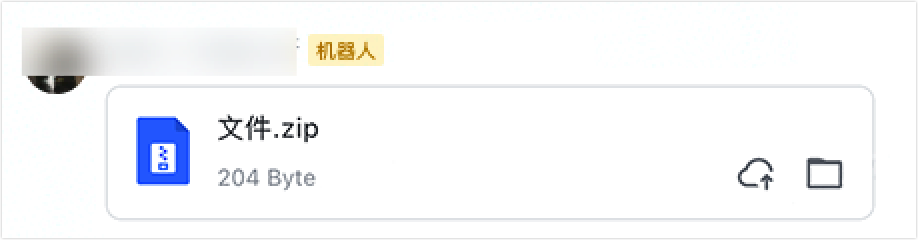
The effect after the message is sent is as follows:
### Sticker
**Content example**
```json
{
"file_key": "75235e0c-4f92-430a-a99b-8446610223cg"
}
```
**Parameter description**
Name | Type | Required | Description
---|---|---|---
file_key | string | Yes | Sticker file key, currently only supports sending stickers received by the bot. You can obtain the file_key of the emoji package through the API [receive message event](https://open.feishu.cn/document/uAjLw4CM/ukTMukTMukTM/reference/im-v1/message/events/receive).
**Example value**: 75235e0c-4f92-430a-a99b-8446610223cg
**Message request body example**
```json
{
"receive_id": "oc_xxx",
"content": "{\"file_key\":\"file_v2_xxx\"}",
"msg_type": "sticker"
}
```
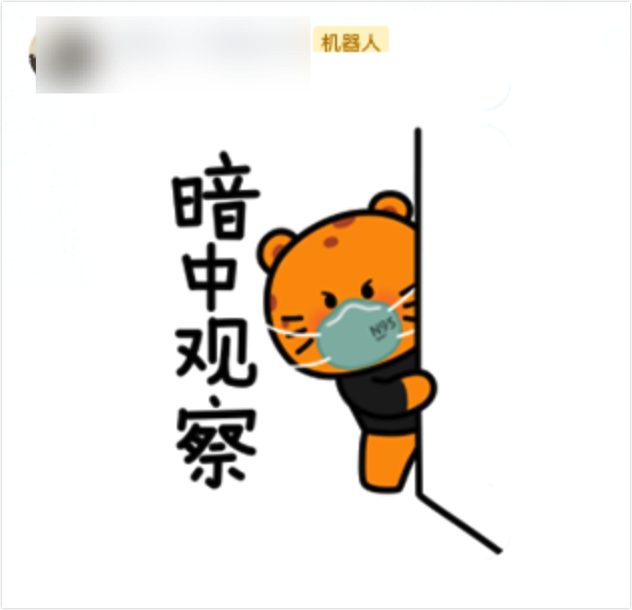
The effect after the message is sent is as follows:
### System message systemwarning
**Note:**
- Only support using `tenant_access_token` to call the [send message](https://open.feishu.cn/document/uAjLw4CM/ukTMukTMukTM/reference/im-v1/message/create) interface. To send a system message for a specific template, in addition to the required permissions for the interface, you also need to have the ==Send a specific template system message (im:message:send_sys_msg)== permission.
- The Feishu client version needs to be V7.20 or above to display the dividing line system message normally. If it is lower than this version, only the text content will be displayed.
**Content example**
```json
{
"type": "divider",
"params": {
"divider_text": {
"text": "New Session",
"i18n_text": {
"zh_CN": "新会话",
"en_US": "New Session"
}
}
},
"options": {
"need_rollup": true
}
}
```
**Parameter Description**
Name | Type | Required | Description
---|---|---|---
type | string | Yes | System message type. Only the value `divider` is supported, indicating a dividing line. **Currently, this type is only supported in single chats (p2p) between robots and users.**
**Example value**: divider
params | object | is | System message parameters.
∟ divider_text | object | No | The content of the divider system message. This parameter is required when `type` is `divider`.
**Example value**: "divider_text": { "text": "New Topic", "i18n_text": { "zh_CN": "New Session", "en_US": "New Session" } }
∟∟ text | string | 是 | Default text.
**Note**:
- This parameter is required and cannot be empty.
- The text length cannot exceed 20 characters or 10 Chinese characters.
**Example value**: New session
∟∟ i18n_text | map | No | Internationalized text, in a multi-language environment, this value is used first. The format is `{key:value}`. The supported language fields are:
- en_US (English)
- zh_CN (Simplified Chinese)
- zh_HK (Traditional Chinese - Hong Kong)
- zh_TW (Traditional Chinese - Taiwan)
- ja_JP (Japanese)
- id_ID (Indonesian)
- vi_VN (Vietnamese)
- th_TH (Thai)
- pt_BR (Portuguese)
- es_ES (Spanish)
- ko_KR (Korean)
- de_DE (German)
- fr_FR (French)
- it_IT (Italian)
- ru_RU (Russian)
- ms_MY (Malay)
**Note**:
- The language type is case sensitive. Please keep it exactly the same as the above enumeration value when passing the value.
- The text under each language (if any) cannot be empty.
- The text length cannot exceed 20 characters or 10 Chinese characters.
**Example value**: { "zh_CN": "新对话", "en_US": "New Session" }
options | map | No | Optional configuration item, the format is `{key:value}`, `key` is the enumeration value, `value` is the value of the enumeration value. Supported enumeration values are:
- need_rollup: whether to scroll and clear the screen, boolean type parameter, the default value is false, indicating that it is not needed.
**Example value**: { "need_rollup": true }
**[Send message](https://open.feishu.cn/document/uAjLw4CM/ukTMukTMukTM/reference/im-v1/message/create) Request body example**
```json
{
"receive_id": "oc_xxx",
"content": "{\"type\":\"divider\",\"params\":{\"divider_text\":{\"text\":\"New Session\",\"i18n_text\":{\"zh_CN\":\"New Session\",\"en_US\":\"New Session\"}}},\"options\":{\"need_rollup\":true}}",
"msg_type": "system"
}
```
The effect example is as follows:
