# App configuration instructions
This document provides an introduction to the app configurations required for developing the Echo Bot.
Step | Configuration steps | Configuration explanation | How to configure (This tutorial has already completed the following configurations automatically)
---|---|---|---
1 | Create a Custom App | To provide services to users, you must create an app as a carrier. For details, refer to [Introduction to App Types](https://open.feishu.cn/document/home/app-types-introduction/overview). | 1. Log in to the Feishu [Developer Console](https://open.feishu.cn/app) to create an app.
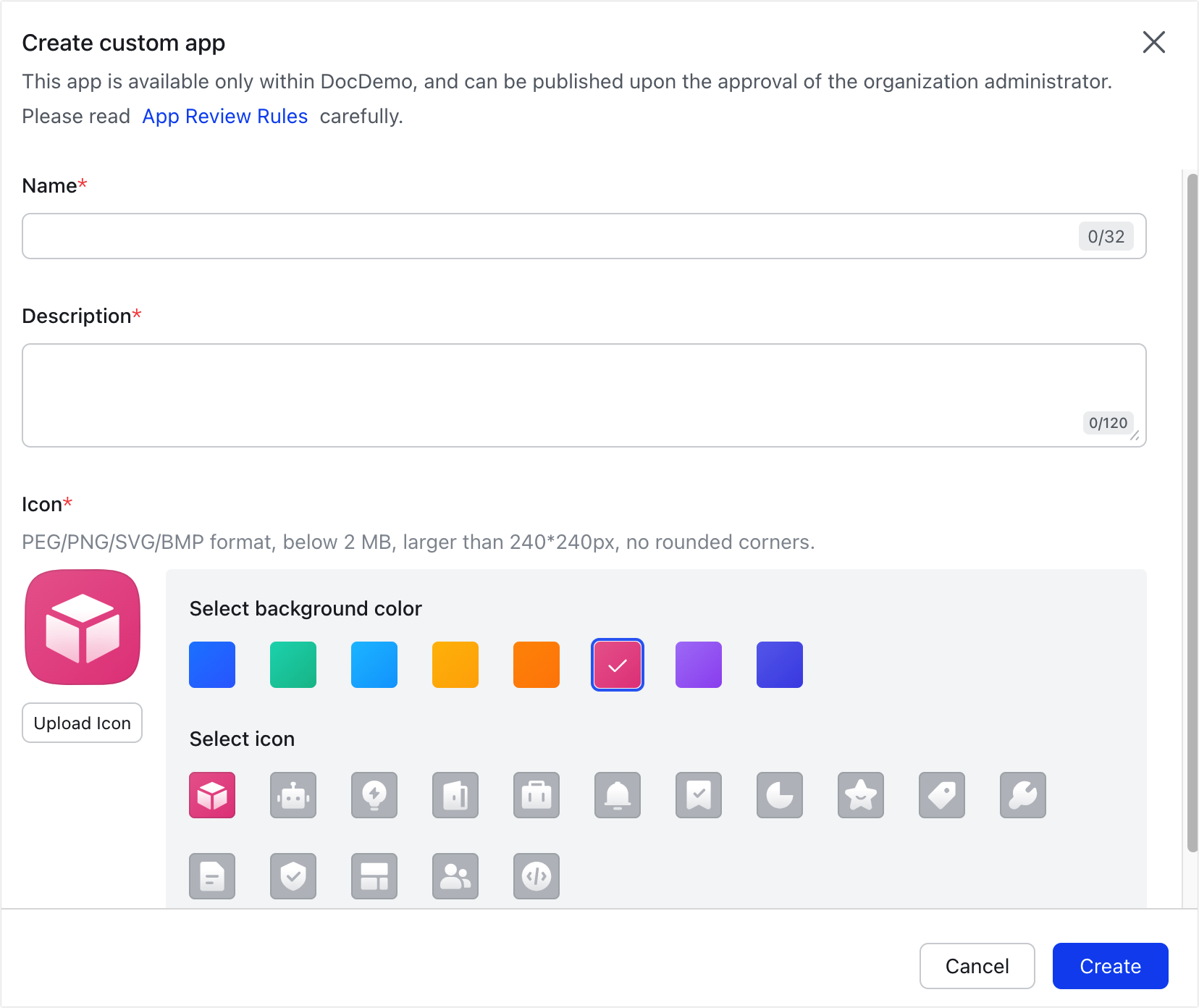
1. On the **Basic Info > Credential & Basic Info** page, you can view the app's **App ID** and **App Secret**.

2 | Add App Capabilities:
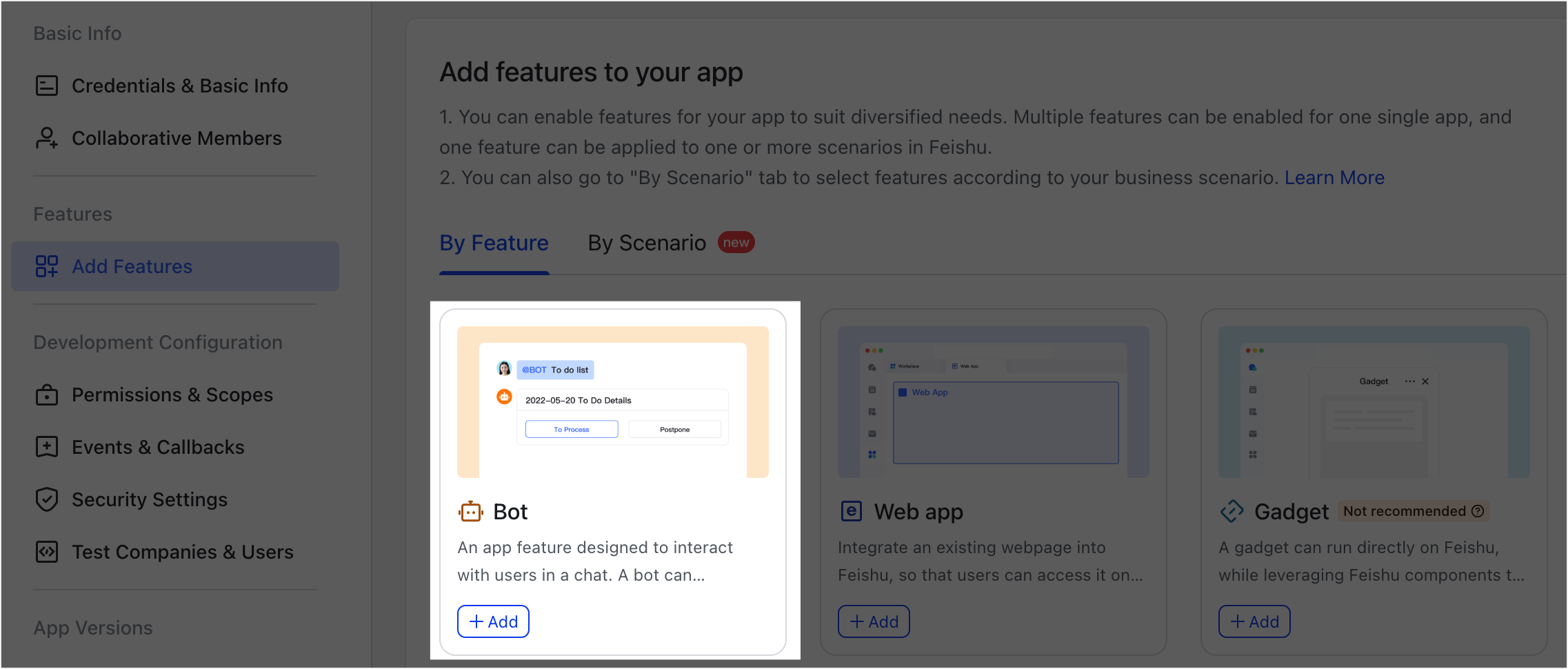
Bot | To allow the app to receive and send messages, you must enable the bot capability for the app. For details, refer to [Bot Overview](https://open.feishu.cn/document/uAjLw4CM/ukTMukTMukTM/bot-v3/bot-overview). | In the Feishu Developer Console, on the **Features > Add Features** page, add the **Bot** capability.
3 | Apply for App Identity Permissions:
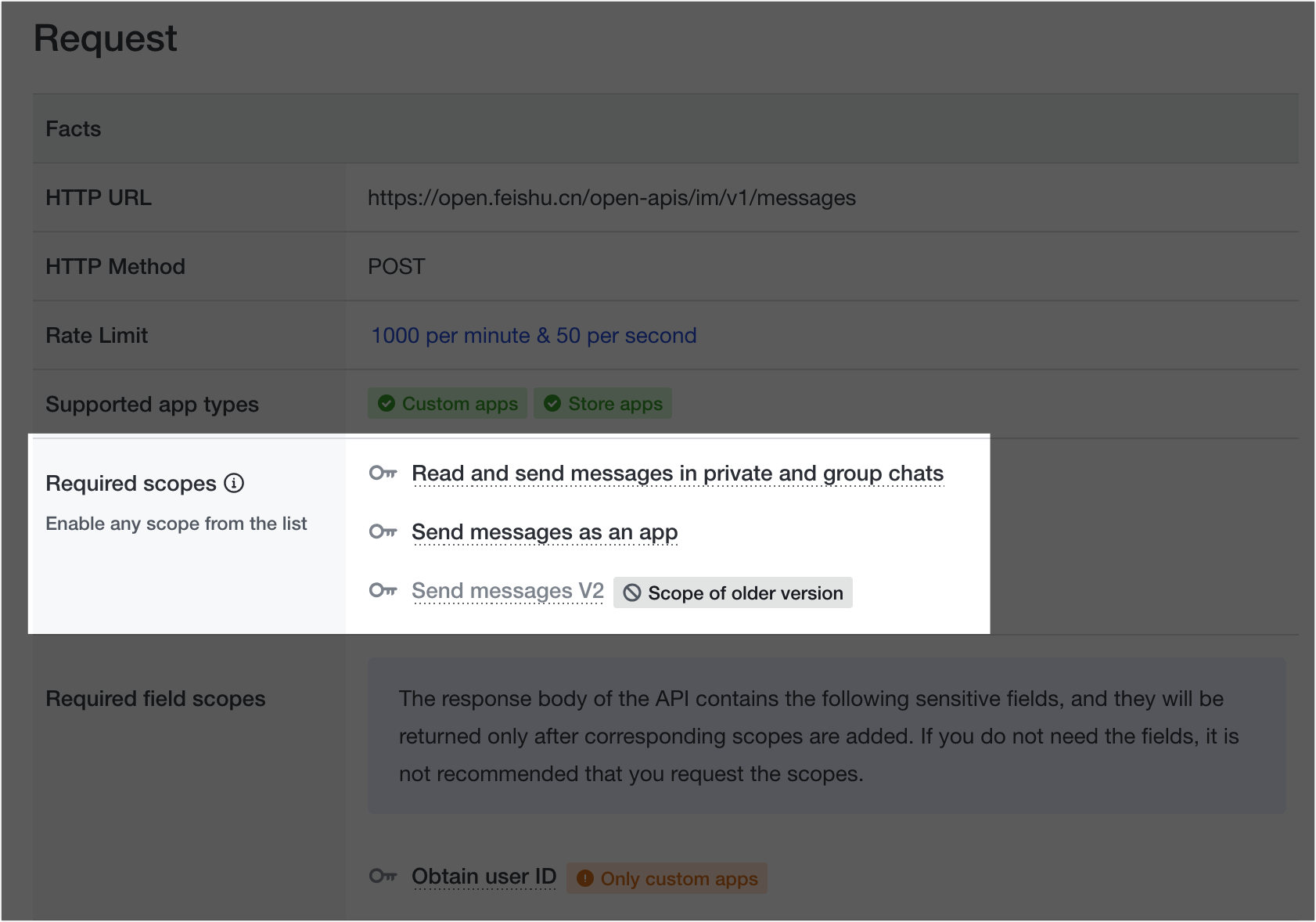
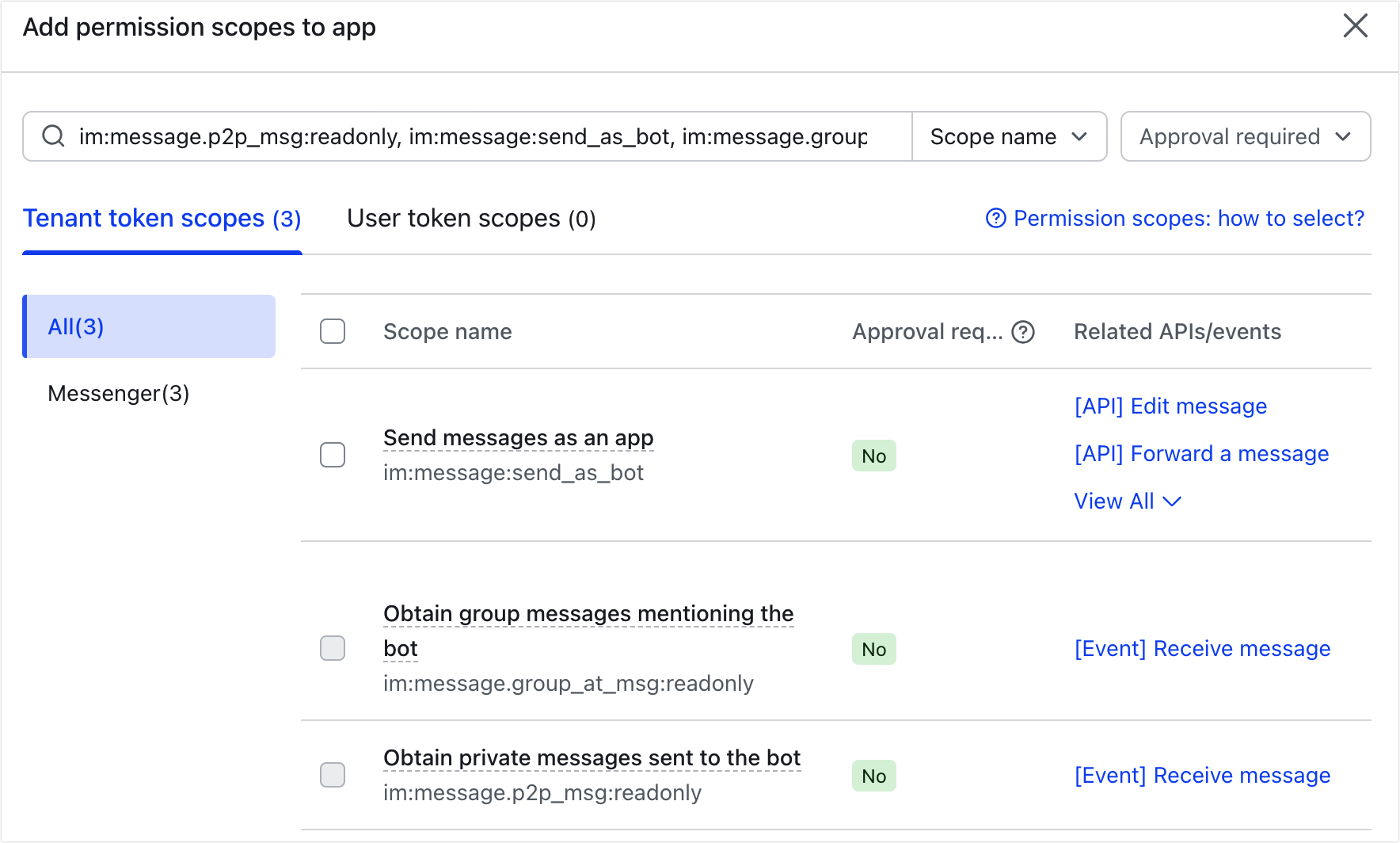
- Obtain private messages sent to the bot (im:message.p2p_msg:readonly)
- Send messages as an app (im:message:send_as_bot)
- Obtain group messages mentioning the bot (im:message.group_at_msg:readonly) | - To call APIs or subscribe to events for data operations through the app, you must apply for corresponding permissions for the app for security reasons.
- The specific permissions to be enabled can be found in the API and event documentation you want to call and subscribe to.
- If calling APIs via tenant_access_token, apply for app identity permissions; if calling APIs via user_access_token, apply for user identity permissions. For details, refer to [Applying for API Permissions](https://open.feishu.cn/document/ukTMukTMukTM/uQjN3QjL0YzN04CN2cDN). | 1. Refer to the [Send Message](https://open.feishu.cn/document/uAjLw4CM/ukTMukTMukTM/reference/im-v1/message/create), [Reply Message](https://open.feishu.cn/document/uAjLw4CM/ukTMukTMukTM/reference/im-v1/message/reply) API, and [Receive Message](https://open.feishu.cn/document/uAjLw4CM/ukTMukTMukTM/reference/im-v1/message/events/receive) event documentation to get the permissions to be enabled.
2. In the Feishu Developer Console, on the **Development Configuration > Permissions & Scopes** page, enable app identity permissions.
4 | Add Event:
[Receive Message](https://open.feishu.cn/document/uAjLw4CM/ukTMukTMukTM/reference/im-v1/message/events/receive) event (im.message.receive_v1) | To receive messages sent by users in a timely manner, you need to subscribe to the receive message event for the app. For details, refer to [Event Overview](https://open.feishu.cn/document/ukTMukTMukTM/uUTNz4SN1MjL1UzM). | 1. In the Feishu Developer Console, on the **Development Configuration > Event & Callback > Event Configuration** page, edit the **Subscription Method**.
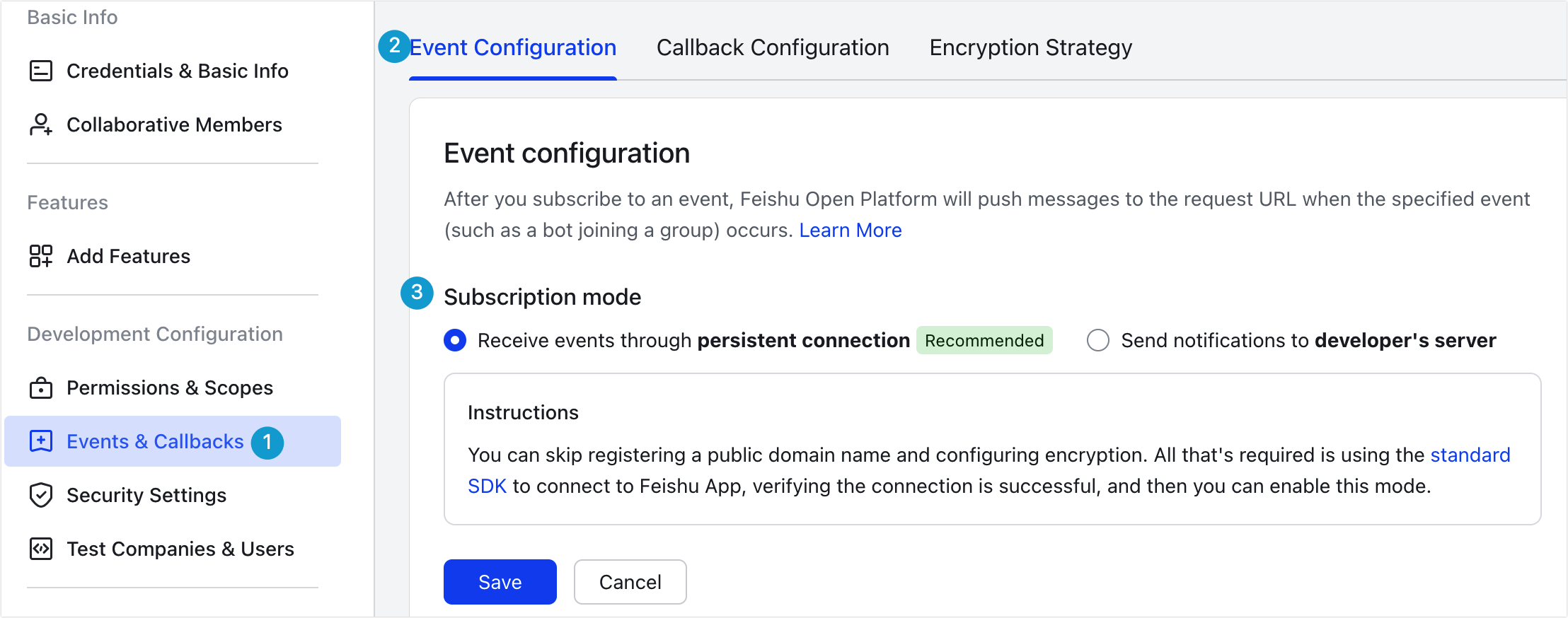
2. Choose **Receive events through persistent connection** and **Save**.
**Tip**: You need to run the sample code to establish a long connection before saving this subscription method.
3. In the **Events added** area, click **Add Events** and add the **Message received (im.message.receive_v1)** event.
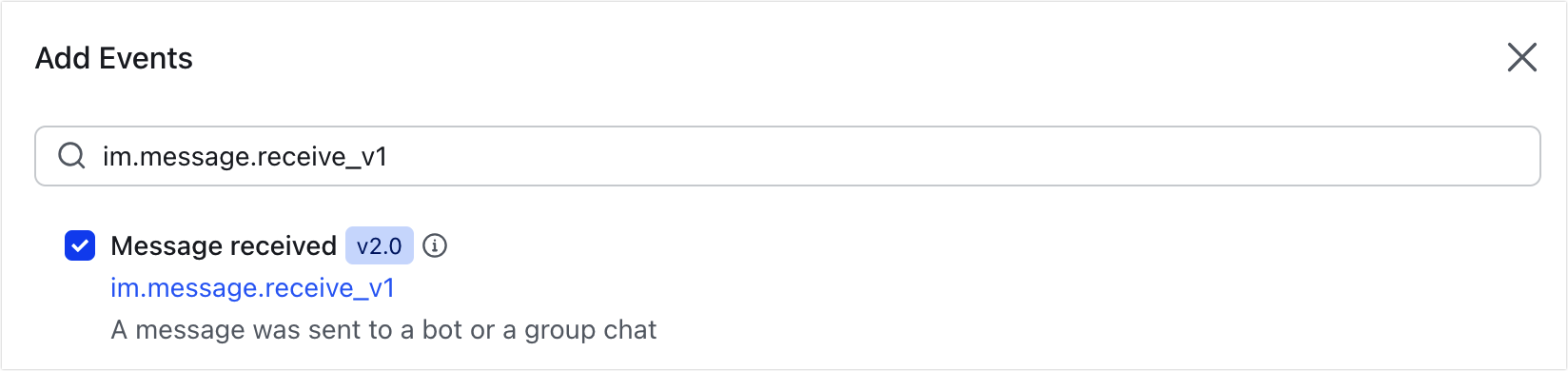
5 | Publish the App | When the app's basic information, permission scopes, and app functions change, you need to publish a new version of the app for the changes to take effect. The custom app release process can be found in [Publishing the App](https://open.feishu.cn/document/home/introduction-to-custom-app-development/self-built-application-development-process#baf09c7d). | In the Feishu Developer Console, on the **App Versions > Version Management & Release** page, click **Create a version**, fill in the version information, and publish the app. If this release requires admin review, it is recommended to create a new enterprise for testing to avoid review time.
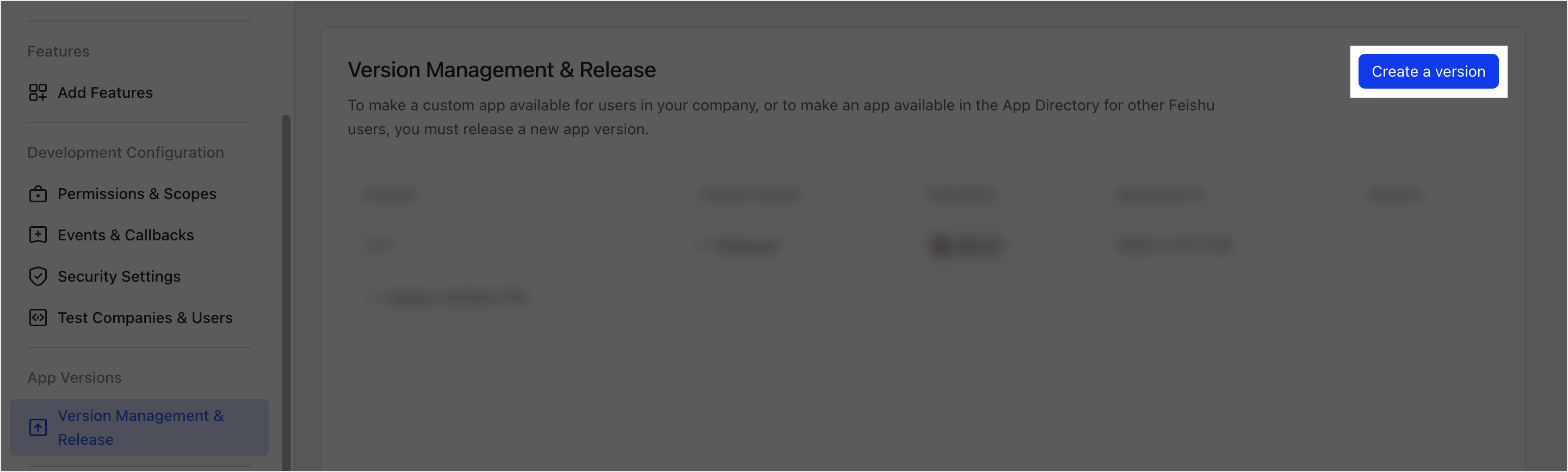
After completing the app configuration, publishing the app, and running the sample code, you can experience the app effect. You can refer to [Explanation of Sample Code](https://open.feishu.cn/document/uAjLw4CM/uMzNwEjLzcDMx4yM3ATM/develop-an-echo-bot/explanation-of-example-code) to view the code.